Split
Arrange Mac windows with shortcuts, snapping, dividers
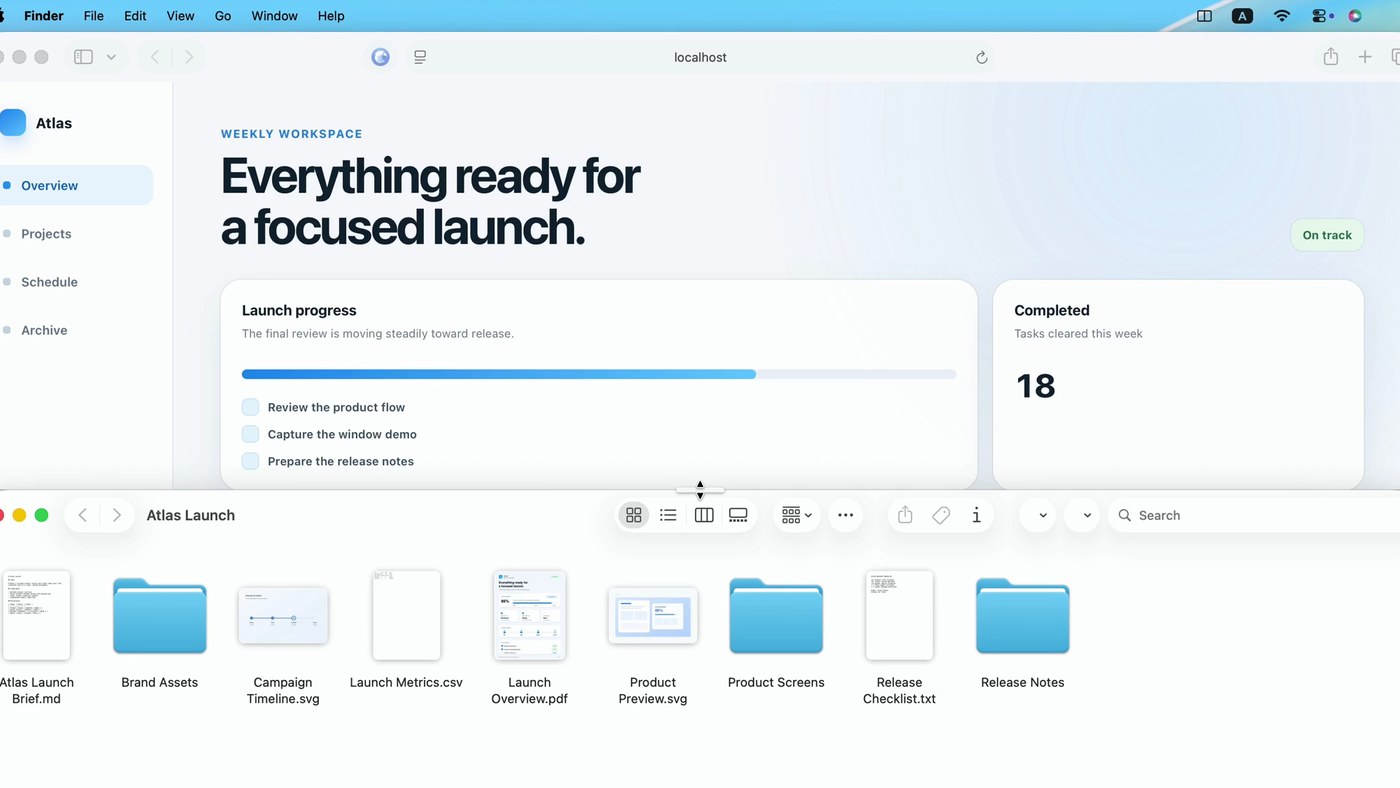
Split is a macOS window manager that lives in the menu bar and stays out of the Dock. You can place windows three ways: pick a proportion and use a menu action or keyboard shortcut, drag a window into a snap zone and release after previewing, or drag the shared divider to resize both windows at once.
For repeat workflows, a window count opens a switcher to cycle through stacked windows, clicking the white divider swaps both sides, and Split can suggest a frequently paired app for an empty side. The developer states window and app metadata stays on your Mac; macOS Accessibility access is required to move, resize, focus or close windows. Ten languages, no ads or analytics, macOS 13 or later on Apple silicon and Intel.
Why no subscription? $4.99 once for a lifetime license that doesn’t expire, including major updates. One active Mac at a time; release it to move the key to a replacement Mac. No trial.
Keywords: window manager · window snapping · split screen · menu bar app · macOS · no subscription · one-time purchase
Report a subscription change
Now subscription-only — no full one-time purchase anymore? Help keep the directory current: