Export Reminders to CSV & JSON
Export Apple Reminders to CSV or JSON
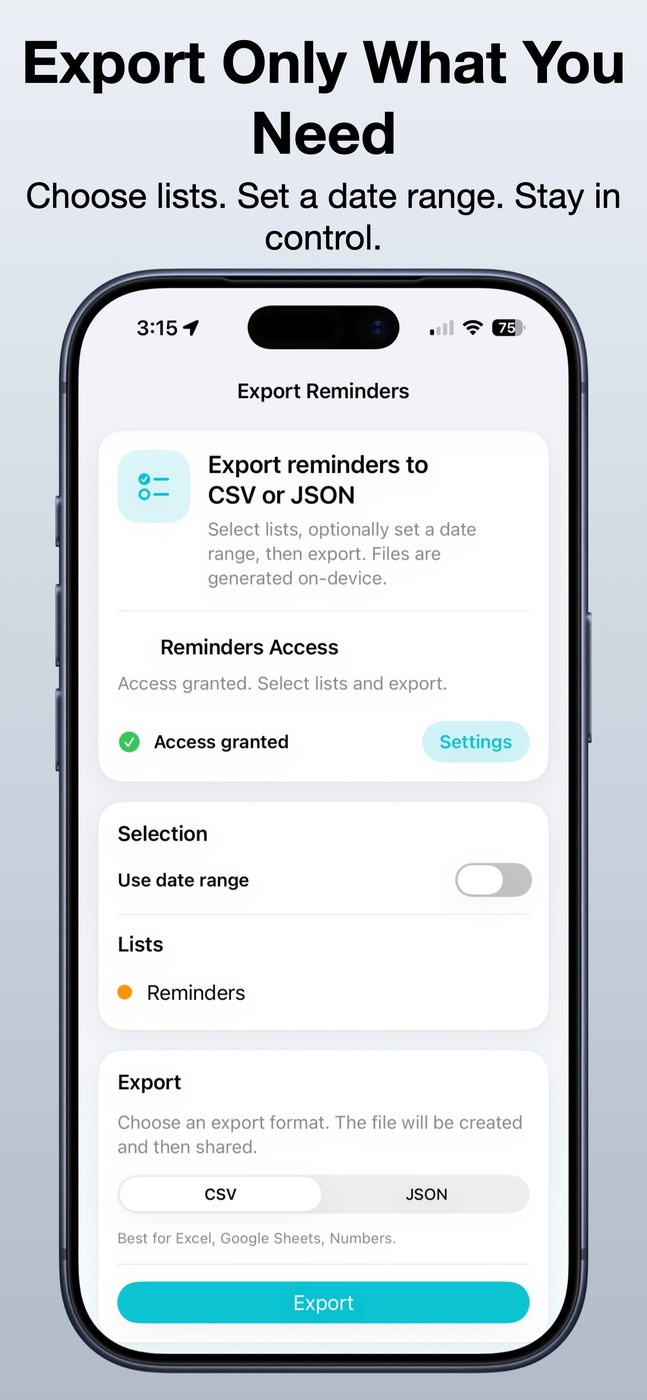
This app exports Apple Reminders as CSV or JSON. You can export everything or pick specific lists; per the description it works with iCloud, shared and local lists. CSV suits spreadsheets like Excel, Numbers or Google Sheets, while JSON fits automation and custom processing.
The resulting file can be shared via email, Files, AirDrop or cloud storage. The developer states no login is required and that reminders only leave the device if you export or share them; the App Store listing says no data is collected. It is designed for iPhone and not verified for macOS, requiring iOS 17.6 or later. English only.
Why no subscription? A one-time $1.99 purchase with no recurring fees — reasonable for a tool you open occasionally to back up or migrate your tasks.
Keywords: reminders · CSV export · JSON · backup · data export · no subscription · one-time purchase · iPhone
Report a subscription change
Now subscription-only — no full one-time purchase anymore? Help keep the directory current: