DupCleaner
Find duplicate files, review them, delete on purpose
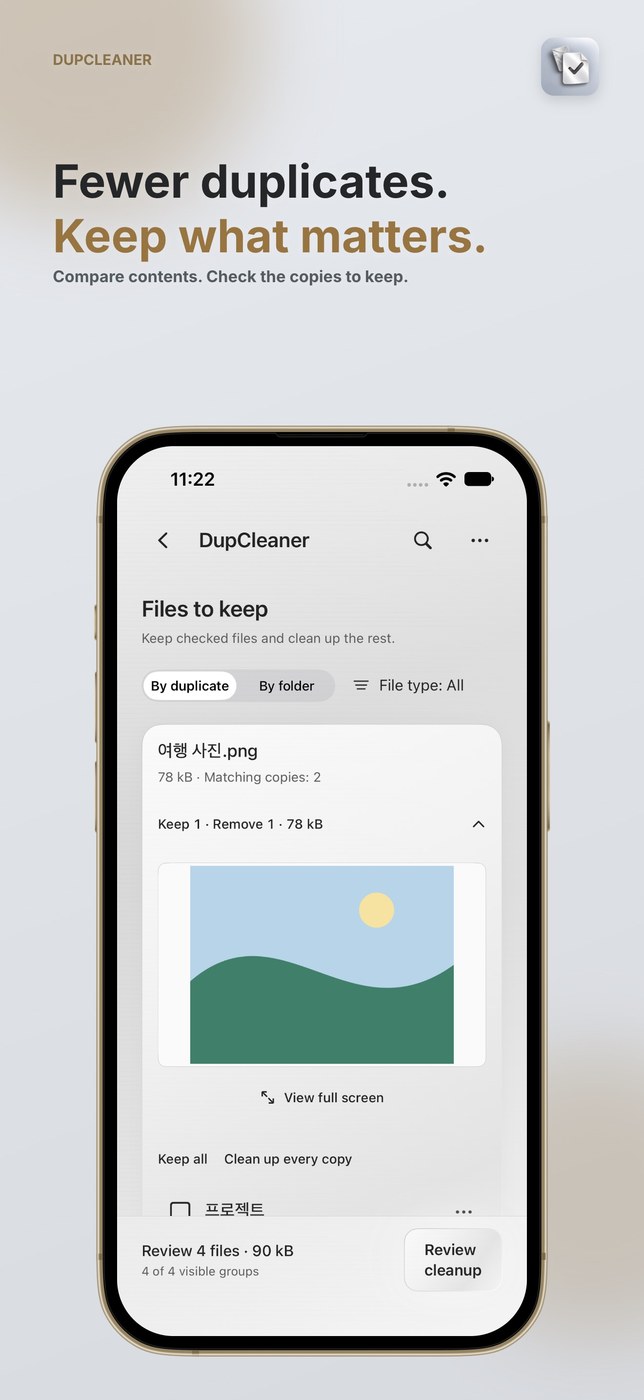
DupCleaner scans folders you pick for files with identical contents, not just matching names. Results show each copy’s name, location, size and modification date, with inline previews for photos and PDFs. You can search names and paths, filter by file type, collapse groups, and exclude folders, files or extensions from scanning.
Checked copies stay; unchecked ones are only removed after confirmation. Default selections keep at least one copy per group, Move to Trash is the default, and permanent deletion must be chosen explicitly. Comparison happens on your device and file contents are not sent to the developer’s servers. Cloud files may need to download first, which takes longer.
Why no subscription? Folder selection, scanning, results and previews are free. Cleanup needs a pass or credit: a single cleanup credit, a one-year pass that does not auto-renew, or Pro Lifetime as a one-time purchase. The page lists no prices.
Keywords: duplicate finder · file management · storage cleanup · duplicate files · preview · no subscription · one-time purchase
Report a subscription change
Now subscription-only — no full one-time purchase anymore? Help keep the directory current: