Perspective Photo Fix
Set four corners, straighten the perspective
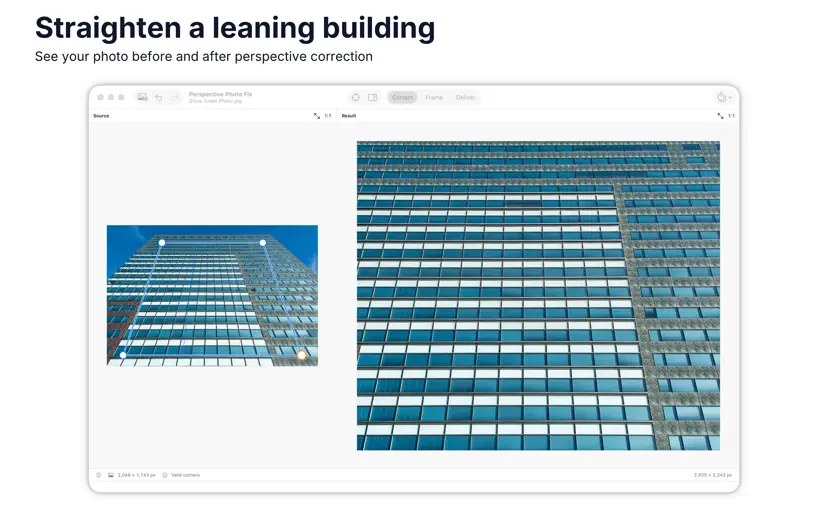
Perspective Photo Fix corrects the perspective of a single photo: drag four corner handles onto a flat rectangle, nudge each one with the arrow keys, and check alignment using a loupe and on-image guides. On Windows, Auto-Detect snaps the corners to a rectangle it finds; if none is found, you place them by hand.
You can compare the corrected image with the original, refine color or tone, and undo changes. On Mac a preview shows the finished crop and output dimensions, with Native, Long Edge or Fit Within sizing that avoids enlarging. On Windows you save as JPEG, PNG, HEIC, TIFF or WebP with a quality slider. There is no batch correction — one image at a time. The developer states no account is needed to use the app.
Why no subscription? A one-time purchase of $7.99 in the Mac App Store or Microsoft Store (US store prices; yours may differ). The developer states no subscription and no account.
Keywords: perspective correction · photo editing · straighten photo · converging lines · macOS · Windows · no subscription · one-time purchase
Report a subscription change
Now subscription-only — no full one-time purchase anymore? Help keep the directory current: