JobLeaf: Photo Reports
Before-and-after job reports as PDF, no account
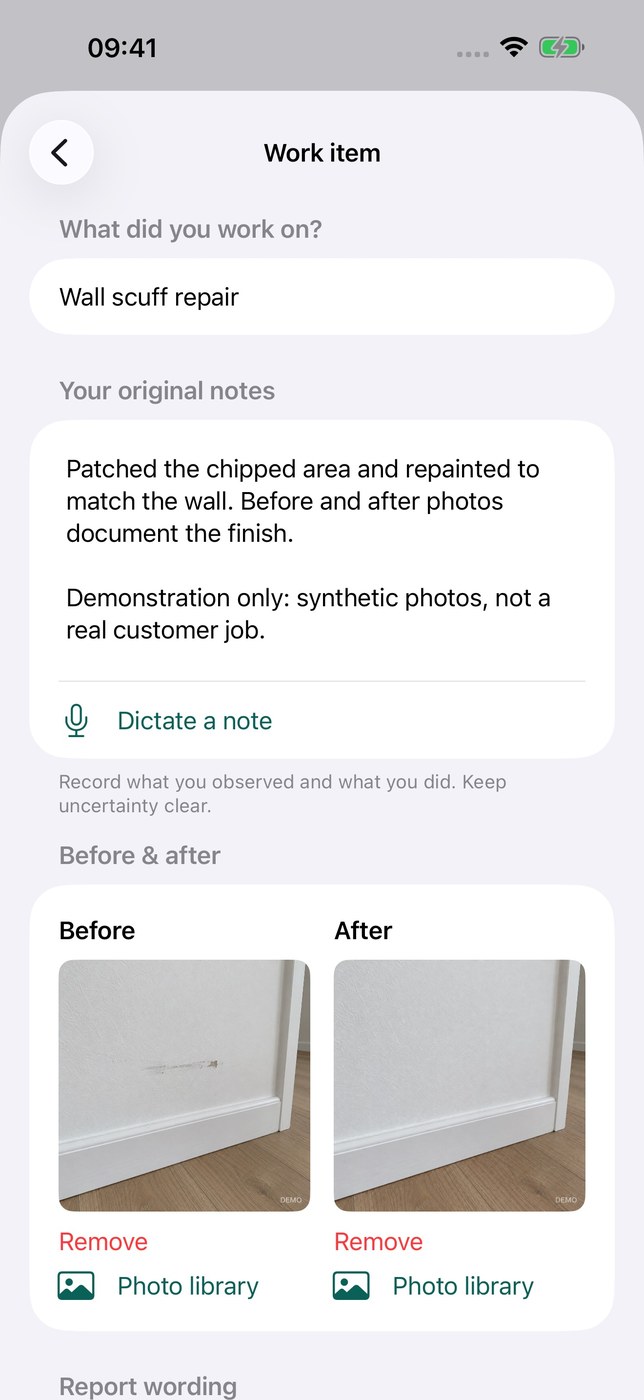
JobLeaf documents finished jobs for customers: each report holds work items with before-and-after photos, notes, your business name, the customer, site address and job date. The result is a US Letter PDF shared through the iPhone share sheet. Saved reports can be found by job, customer or address.
Notes are typed or, where available, dictated with on-device English speech. On devices with Apple Intelligence enabled you can request a wording suggestion and compare it with your original note. The app does not inspect photos or diagnose faults. The developer states there is no account, no advertising and no developer-operated server; reports stay on the device. English only, and iOS 26 or later is required.
Why no subscription? Creating reports and exporting SAMPLE-marked PDFs is free. A one-time JobLeaf Lifetime purchase of $19.99 removes the SAMPLE mark — no subscription, restorable with the same Apple Account.
Keywords: photo report · before and after · PDF export · field service · documentation · no subscription · one-time purchase
Report a subscription change
Now subscription-only — no full one-time purchase anymore? Help keep the directory current: